Integrating Blender with P5LIVE
I recently came across collaborative live-coding environment p5live and was instantly mesmerised. p5live is a code editor and canvas with p5.js preloaded making it easy to create processing like visuals with an instantaneous feedback loop. It has a co-coding feature which synchronises the code across multiple browsers so that multiple people can live-code at the same time like a shared Google Doc.
In the sprit of live-coding and live-creation I thought it would be fun to see if I could find a way to design 3d models and do the live coding at the same time. Or one person is designing while the order person is coding? Who knows, you tell me.
The final result is a Blender plugin that exports your models to a predetermined directory on your computer, a nodejs server that monitors the target directory and a small javascript extension to update the model in the browser via websockets.
Have a look at the repo on GitHub: @lsei/livemodel-p5
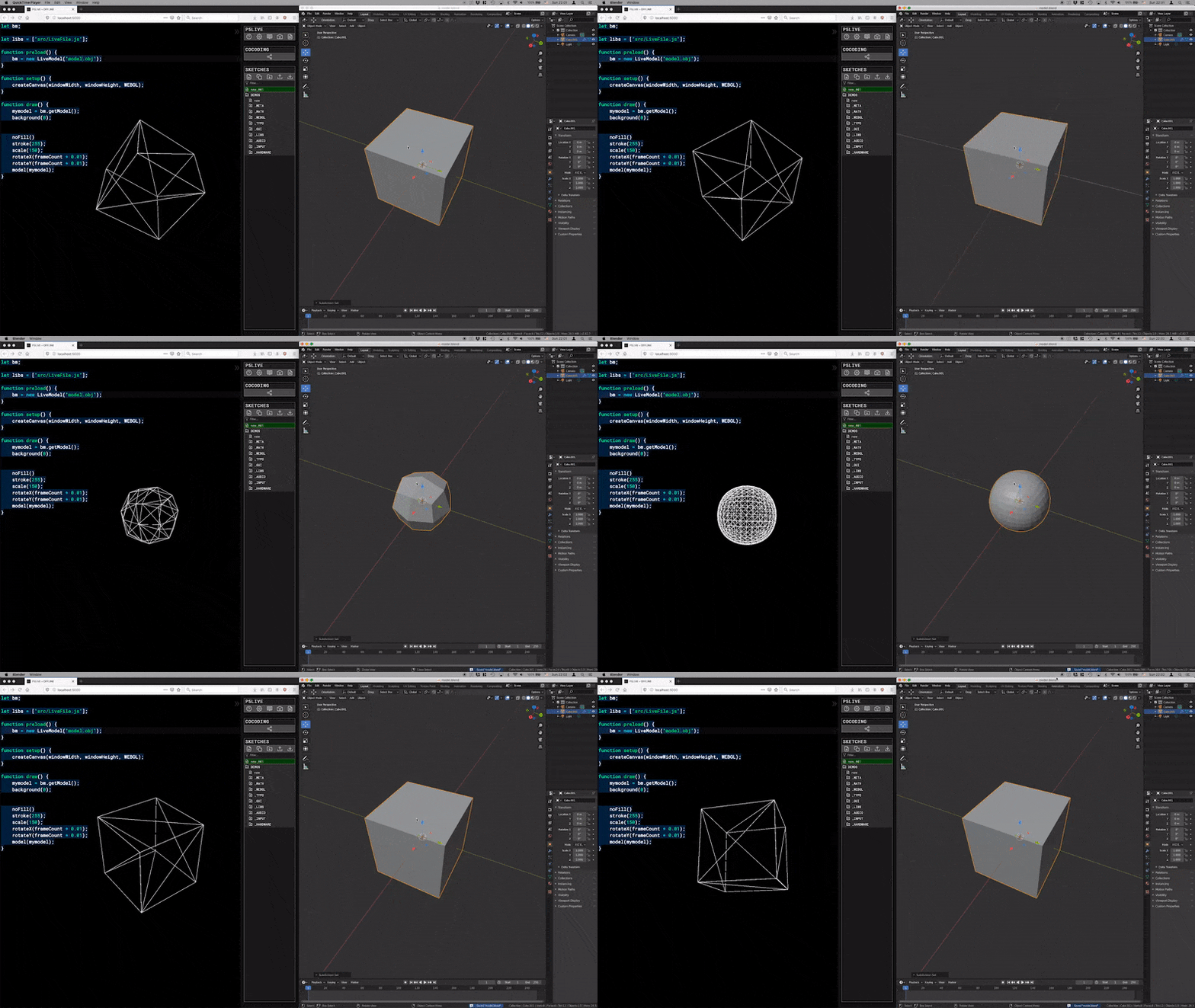
Installation
Install the Blender plugin and download the node websocket server and run it from your local p5live directory. More details on the github page.
Usage in browser
let myLiveModel; // Prep for livemodel object.

function preload() {
    // prepare the model in the same way you would use p5's `LoadModel()`
    myLiveModel = new LiveModel("model.obj");
}

function draw() {
    // In every render cycle use `getModel()` to get the latest model, it will return a new object as soon as it recieves it from the websocket.
    const myModel = myLiveModel.getModel();

    // preapre your fill, stoke, material, etc.
    model(myModel);
}
How it works
The Blender plugin is pretty straight forward. We hook into the save event and render out an .obj and .mtl file every time the file is saved. You can edit your file and update it in p5live as soon as you hit Cmd + S. Check out the code for the plugin
here
. Remember to update the targetDir to your local p5live directory.
The
nodejs server
script starts a websocket server and watches the local ./models folder. Each websocket connection is scoped to a specific file, so the server only sends updates to the relevant connection depending on which file changes. I though about sending the model .obj content directly through the websocket instead of making the browser fetch it again as well, but will look into that as a future optimisation.
The
browser part
is simply a wrapper object around p5.js’s LoadModel() which stores the current model in a variable which is always returned to the render script using .getModel(). Since LoadModel does it’s own caching we need to trick it to re-downloading the file by adding an otherwise unused query parameter to the url.
If you find some use for this or have any ideas, comments or bugs, hit me up.